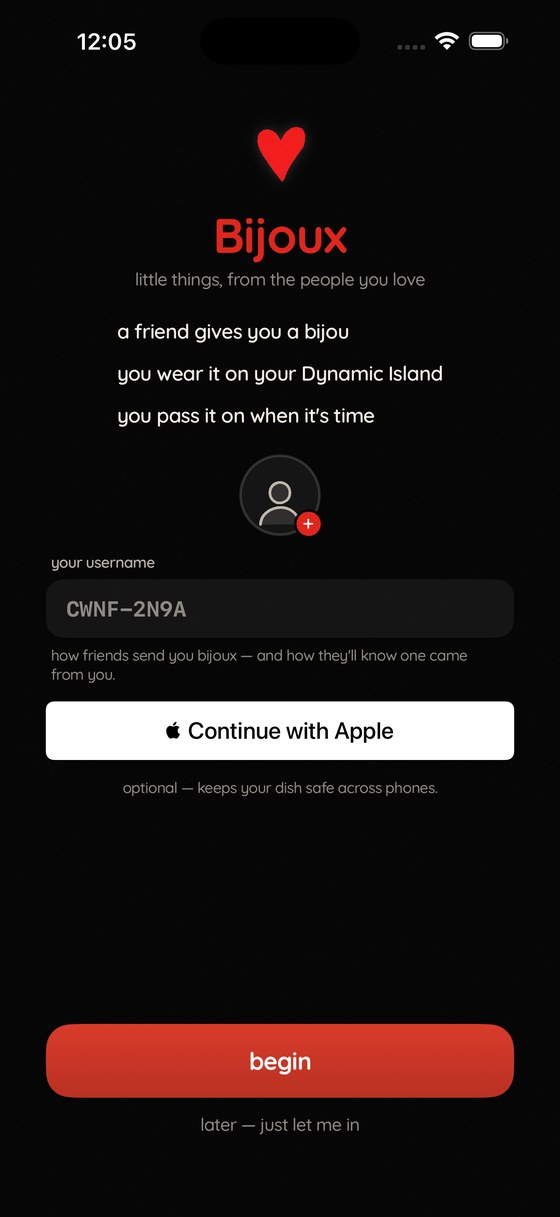
Bijoux

little things, from the people you love

a charm bracelet for your phone · design engineering case study

in progress SwiftUI · ActivityKit · CloudKit CoreMotion · MultipeerConnectivity Sole designer + engineer 59 builds to TestFlight
59builds shipped
13charm assets
4art pipelines built
64decisions logged
0designer↔dev handoffs

The brief

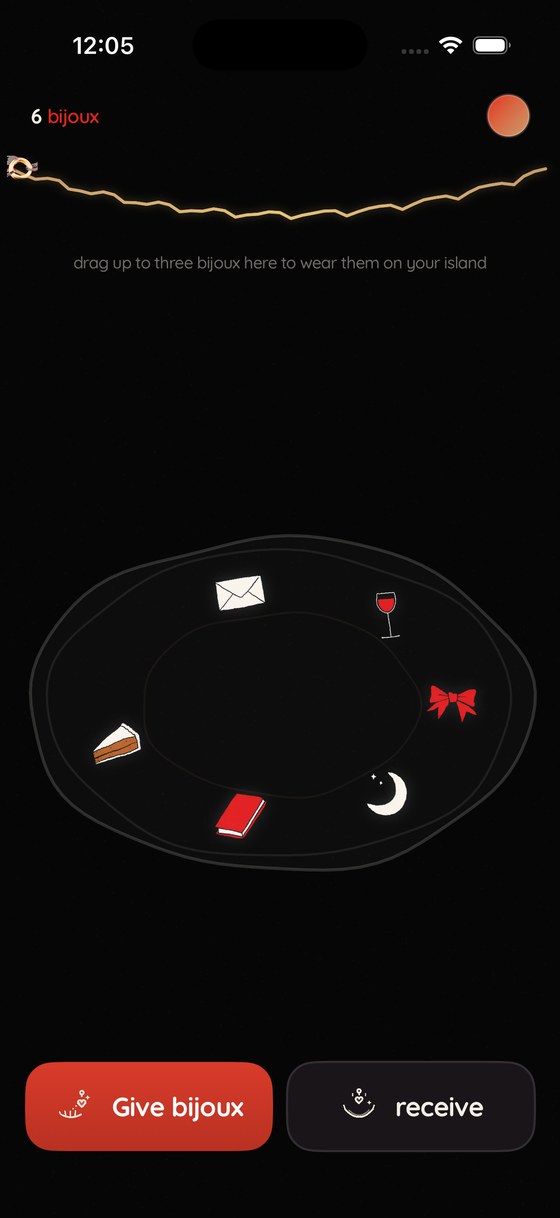
I designed and engineered an iOS keepsake app where friends give each other hand-painted charms. They collect in a trinket dish, up to three are worn on a bracelet strung across the Dynamic Island, and each one can be passed on.

The product constraint is that you cannot make a bijou for yourself — every object came from a person and carries their note. The engineering consequence is that almost every interesting problem is a systems problem: peer-to-peer transfer between two phones, a render target that isn't your app's process, physical simulation on a 60 Hz budget, and a data model that has to survive schema evolution across builds already on strangers' phones.

This case study is written from the design-engineer seat: the design decision and its implementation are the same decision, made once. Where a visual choice was really a constraint imposed by a framework — or vice versa — that's the interesting part, so it's called out.

Architecture

I made four surfaces share one model. Everything downstream of [Charm] is a projection of it.

Source of truth

Local first

[Charm] encoded to UserDefaults on every mutation. The app is fully functional with no account, no network, no iCloud. Sync is an enhancement layer, never a dependency.

Projection A

Home (in-process)

SwiftUI. The dish and the worn strand are two filtered views of the same array, joined by matchedGeometryEffect so a charm animates between them as one object.

Projection B

Live Activity (out-of-process)

ActivityKit pushes a ContentState to a widget extension that renders in a separate sandbox — no shared memory, no motion, no timers.

Projection C

Cloud + peers

CloudKit private DB mirrors the collection; the public DB is a mailbox for gifts. Peer transfer is a direct device-to-device path that never touches either.

Why the model is a flat array, not a graph

A charm's "worn" state is a boolean on the charm rather than a separate collection. That single choice removes an entire class of bug — a charm cannot be in the dish and on the bracelet simultaneously, cannot be orphaned by a failed move, and cannot desynchronise from the island — because there is no move operation. Wearing is a field toggle, and every surface recomputes.

var wornObjects: [Charm] { myCharms.filter(\.isDynamicIslandEnabled) }
var dishObjects: [Charm] { myCharms.filter { !$0.isDynamicIslandEnabled } }
// one array, two projections — the "move" between them is a toggle + re-render

The design system as code

I built the system as three inks, one typeface, and a small set of view modifiers that encode the house style so it can't drift.

Palette

Ink#060606
Poster red#E0261C
Warm white#F3EFE7
Camel#C69B6B

Near-black rather than #000, with a fixed grain overlay, so the surface reads as paper rather than an OLED void. Camel is reserved almost entirely for the bracelet thread — a semantic colour, not a decorative one: if you see gold, something is being worn.

Semantic primitives

Rather than a stylesheet of values, the system is expressed as typed primitives — a button style, a text scale, an art view. A new screen composes them and inherits the house style for free; there is no path to a one-off font size.

// one art primitive — every charm everywhere goes through it
struct CharmArt: View {
    let type: CharmType
    var size: CGFloat = 84
    var body: some View {
        Image(type.imageName)
            .resizable().interpolation(.high).scaledToFit()
            .frame(width: size, height: size * (110.0 / 120.0))  // fixed aspect
            .shadow(color: CharmTheme.charmGlow.opacity(0.35), radius: 5)
    }
}

Type is Quicksand with custom .tightText() / .tightDisplay() modifiers that apply optical tracking per size band — the kind of correction a design system usually loses in handoff, kept here because the person specifying it is the person writing it.

The icon family
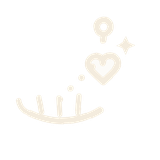
give
receive
wear
pass on
photo slot

The detail screen originally used SF Symbols for its actions. Next to hand-drawn charms they read as a different product — a seam between "designed" and "default." Replacing them meant extending the asset pipeline rather than picking a different symbol, which is exactly the kind of fix that only happens when design and build are the same job.

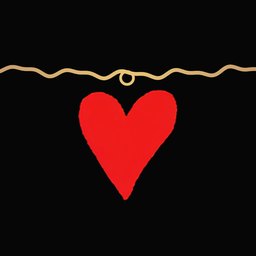
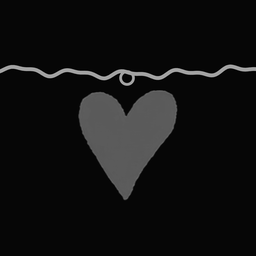
App icon — "Le Fil"
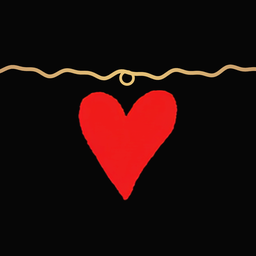
default
dark
tinted

Three variants for iOS's icon modes. The first draft failed on the platform's own geometry: the thread crossed the corner-radius mask and got clipped, and the heart's point sat too close to the bottom edge. Fixed by moving the thread endpoints inside the safe zone, deepening the sag, and giving the heart a 21% bottom margin.
Asset pipeline

I built four art directions before one survived. My final two are code, not handwork — art is compiled, so it's reproducible and cheap to revise.

Pipeline A — drawn icons: SVG → raster

AuthorSVG + feTurbulence
Rasteriseheadless Chrome
KeyPIL alpha extract
Install.imageset + Contents.json

The hand-drawn wobble is a displacement filter applied at author time and baked into the PNG, not computed at runtime. Runtime wobble would cost GPU work on every frame and, worse, would look different at every size. Baking makes imperfection a static asset property.

Pipeline B — painted charms: black-matte alpha keying

Source illustrations arrive as painted objects on solid black. Naive thresholding destroys the painted edge, so alpha is derived from luminance and the colour is then unpremultiplied:

r, g, b = px[x, y]
a = max(r, g, b)                     # black matte → luminance is alpha
if a == 0:
    out[x, y] = (0, 0, 0, 0)
else:                             # unpremultiply, or edges go muddy
    out[x, y] = (r * 255 // a, g * 255 // a, b * 255 // a, a)

This preserves soft brush edges and anti-aliasing that a colour-key would have hard-clipped — the difference between a sticker and a painted object.

The set is deliberately closed: no custom art, no emoji, no photos. A fixed vocabulary keeps every bijou legible at 22 px on the Dynamic Island and guarantees any future surface can render any charm without new assets.

Pipeline C — audio

The background music is synthesised, not licensed: a slow jazz waltz generated with numpy (Rhodes-ish EP, upright bass, convolution-ish reverb tail) and encoded to AAC with afconvert. Playback uses the .ambient category with mixWithOthers, and is skipped entirely when isOtherAudioPlaying — the app never interrupts something the user chose.

Motion system

I didn't animate the worn charms — I simulated them. A damped pendulum per charm, driven by the device's real gravity vector.

Each charm's physical parameters are derived from the same table that describes its art, so a heavy object (the cat, the coffee cup) swings slower and wider than a light one (the star). Design intent and simulation constants are the same data.

// gravity → rest angle, clamped so the strand never inverts
let target = atan2(g.x, -g.y).clamped(to: -0.6...0.6)

// stiffness derived from the art's own sway timing — heavier art, slower spring
let k = 20 + 14 * (5.0 - sway.duration)

// underdamped spring (ζ ≈ 0.42) + angular kick from device rotation
vel += (-k * (angle - target) - 2 * 0.42 * sqrt(k) * vel) * dt
vel += -rotationRate.z * 0.9
angle += vel * dt
Frame budget

One engine, N charms

A single CADisplayLink integrates every pendulum and publishes a dictionary of angles. Three worn charms cost one timer, not three.

Idle

Never perfectly still

A low-amplitude sine breath is summed onto the solved angle, so a charm at rest on a motionless desk still looks alive.

Degradation

Simulator + accessibility

PendulumOrSway falls back to a canned keyframe animation when device motion is unavailable, and Reduce Motion disables the sway entirely.

Pivot

Rotation anchored at the ring

.rotationEffect(anchor: .top) — the charm swings from its bail, not its centre, which is the whole difference between jewellery and a spinning sticker.

Haptics as a material

Every charm touch fires a soft impact at 0.9 intensity — on tap and at the moment a drag picks one up. Contact during a transfer uses a CoreHaptics pattern: a six-event rising ramp into a heavy continuous thud, mirroring Apple's own hand-off feel so the gesture reads as system-level.

Rendering outside your own process

I treated the Dynamic Island as the product's signature surface, and it's the most constrained target in the system.

A Live Activity is not a view your app draws. It's a ContentState you hand to the OS, rendered by a widget extension in a separate sandbox. That imposes hard limits which shaped the design:

// same wobble recipe as the app's Canvas strand, as a widget-safe Shape
struct IslandSquiggle: Shape {
    func path(in rect: CGRect) -> Path {
        // sample a quadratic bezier, then displace each point along its normal
        let w = sin(arc * 0.16) * 2.1 + sin(arc * 0.31 + 1.7) * 1.1
        p.addLine(to: CGPoint(x: x + nx * w, y: y + ny * w))
    }
}

Schema evolution against installed builds

Adding charm names to the island meant changing a state struct that older builds already running on real phones were encoding. Making the new field non-optional would have broken decode for every in-flight activity:

struct ContentState: Codable, Hashable {
    var wornTypes: [String]
    var wornNames: [String]?   // optional — activities from older builds still decode
}

The renderer then zips names against types and falls back to the charm's display name when the array is absent — forward-compatible by construction.

Reconciling state you don't own

A user reported phantom hearts on their island: stale activities from a previous install, plus relic data from an earlier app under the same bundle ID. The fix treats the OS as the unreliable party — the manager reconciles every activity of its type rather than tracking one handle, adopting the first and ending the rest, and the loader purges charms whose type no longer exists.

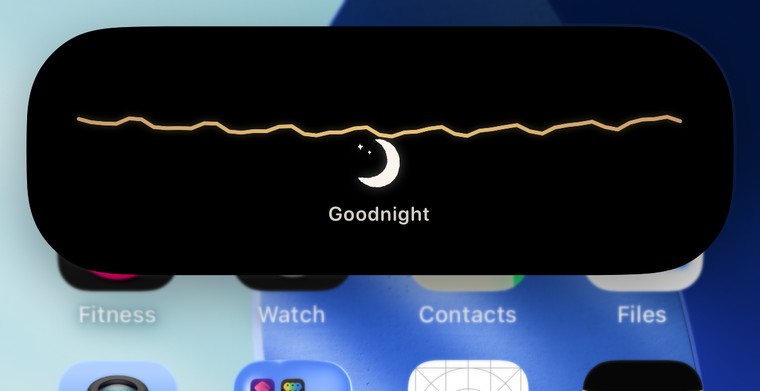
Dynamic Island expanded showing the bracelet expanded island — the Shape-based thread, charms hanging with their given names

Layout invariants

I fixed two bugs by making the bad state unrepresentable rather than by detecting and correcting it.

A dish where overlap is impossible

Trinkets in the dish overlapped and read as broken. The usual fixes — collision detection, force-directed packing, jitter-and-retry — all fail non-deterministically as count rises, and all require a frame of "wrong" before they correct.

Instead the dish has 12 fixed slots in normalised ellipse space, ordered so a sparse dish still looks scattered rather than clumped. Charm size is then derived from the geometry:

static let slotCount = 12
// size from the tightest slot pair — overlap is arithmetically impossible
let size: CGFloat = min(60, max(34, Self.minSlotDistance(pixelSlots) * 0.92))

The invariant then propagated upward into the product: since the dish has exactly twelve places, twelve became the capacity, and a full dish is now the mechanic that forces you to pass a bijou on. A layout constraint became the economy.

Names that cannot truncate

Long names clipped under a worn charm on the island — a surface where you cannot measure text at render time. Rather than shrink-to-fit forever, the constraint moved upstream to the input:

static let maxNameLength = 26   // fits 3-up on the island at minScaleFactor 0.6

Enforced at compose time, so the render path never has to handle the failing case.

One thread, five surfaces, one hand

The gold thread appears in five places: draped across the app's home screen, in the home-screen widget, in the lock-screen widget, on the expanded Dynamic Island, and — most recently — in the app icon. It has to look drawn by the same hand in all five, at widths from 160 to 1024 points.

The line is a quadratic Bézier with a perpendicular wobble. The naïve version measures that wobble against the curve's parameter, which stretches the waves with the canvas: the same recipe gives a lazy hand-drawn line at 380pt and a taut zigzag at 160pt. Measuring against arc length instead fixes the wavelength in points, so the wobble is the same physical size wherever it is drawn:

let nx = -dy / seg, ny = dx / seg      // perpendicular
arc += seg                              // distance travelled, not t
let w = sin(arc * 0.16) * 2.1 + sin(arc * 0.31 + 1.7) * 1.1

Two harmonics, because one produces a sine wave and two produce something that reads as a hand. The app draws this in a Canvas; WidgetKit has none, so the widgets re-express the identical recipe as a Shape — the constants are copied deliberately, and commented as the reason.

The icon is the exception that proves the rule. It stretches wavelength and amplitude together by a constant, because an icon is read at 60 points: at true scale its ten cycles crimp into a ripple, and it stops looking hand-drawn and starts looking like crimped wire.

Charms that hang from the curve, not under it

The first widget stacked a thread above a row of charms — the two elements never touched, and it read as a rule over a row of icons rather than as jewellery. The charms had to hang from the line, which means the layout has to know where the line actually is:

// the base curve's y at a horizontal fraction — deliberately without
// the wobble: a charm hangs from the thread's path, not from its jitter
func y(atFraction t: CGFloat, in size: CGSize) -> CGFloat {
    size.height * topFraction + 2 * (1 - t) * t * controlDrop
}

Each bijou is offset to that height at its own x, with a jump ring bridging the gap — so the middle charm hangs lowest, following the sag, exactly as it would on a wrist. The same function positions the ring in the app icon, which is generated rather than drawn: the ring is placed at whatever height the squiggle passes its x, so it can never float free of the line it hangs on.

A SwiftUI hit-testing trap

Every charm in the dish opened the last charm's detail sheet. Cause: modifier order. .contentShape(Rectangle()) applied after .position() expands the hit area to the whole container, so the topmost view swallows every tap.

CharmArt(...)
    .contentShape(Rectangle())        // ← must come BEFORE .position()
    .onTapGesture { onTap(charm) }
    .position(pos)

Assistive paths

Two places where the interface's own conceits — a gesture, and a text field doing double duty — didn't survive contact with VoiceOver, and had to be answered in the model rather than patched in the view.

The same charm, announced from two different fields

A bijou's words live in name when someone composes one, but the three starter bijoux carry theirs in note with an empty name. Sighted users never notice — each surface reads whichever field it was written to. A screen reader, reading one label for all of them, announced half the collection as nothing at all.

Worse, a hand-drawn charm keeps a stock charmType underneath its art, so a hand-drawn chihuahua announced itself as "Heart." The art was the whole gift, and the label described the leftover scaffolding.

var spokenWords: String {   // one reader for both worlds
    if !name.isEmpty && !note.isEmpty && name != note { return "\(name), \(note)" }
    return name.isEmpty ? (note.isEmpty ? charmType.displayName : note) : name
}
var spokenKind: String {    // the art decides, not the stale type
    artData == nil ? "\(charmType.displayName.lowercased()) bijou" : "hand-drawn bijou"
}

Putting both on the model rather than in each view means every surface that gains a label later — widget, island, detail sheet — inherits the correct one for free. The bug was never a missing accessibilityLabel; it was that no single field held the answer.

A ceremony that needs a second door

Sealing a bijou is a 1.15-second press-and-hold: the haze blooms under your thumb, and only then do you name the word. It is the most deliberately physical moment in the app — and a timed continuous press is exactly what Switch Control and VoiceOver cannot perform.

The tempting fix is to weaken the gesture for everyone, or to add a permanent button beside it and let the ceremony compete with a shortcut. Instead the button exists only when assistive technology is running:

if voiceOver || switchControl {
    Button { sealCeremony() } label: { Text("seal it") }
        .accessibilityHint("seals it behind the haze — you name the word next")
}

Everyone reaches the same state by the route that suits them, and neither route is a degraded copy of the other.

Transport & sync

I built three delivery paths, chosen by what the recipient has — and one rearchitecture driven by research rather than by code.

In person

MultipeerConnectivity

Room-scale discovery over Bluetooth/Wi-Fi, role-filtered so senders only see receivers. Mutual confirmation before any bytes move.

To a username

CloudKit public DB

A Gift record addressed to a normalised handle; the recipient's app collects and deletes it, bounded by remaining dish capacity.

To a non-user

Claim code + web preview

A record whose recordName is the code, plus a static preview page and a universal link that auto-claims after install.

Addressing by record name, not by query

Claim codes are fetched by ID rather than queried by field. CloudKit requires an explicit queryable index for field lookups — an operational dependency that fails at exactly the wrong moment. Making the code the primary key removes the index entirely, and deletion after read gives one-time semantics for free:

let id = CKRecord.ID(recordName: "gift-\(normalize(code))")
let rec = try await publicDB.record(for: id)   // direct fetch, no index
_ = try? await publicDB.modifyRecords(saving: [], deleting: [id])

A password rule that fell out of the normaliser

Making the magic word the primary key has a consequence. The word a person types and the word their friend types have to resolve to the same record name across keyboards, autocorrect and accents, so wordKey folds to Latin, uppercases, and keeps only letters, digits and dashes. Everything else is discarded before the lookup.

Which means a symbol cannot be part of a secret here. Type our song! and the ! never reaches the key — two words differing only by punctuation are the same word. So when these moved from generated codes to words people choose, the strength rule could not be the usual "add a special character":

// letters, ≥1 digit, ≥6 characters — digits survive the fold, symbols don't
if !key.contains(where: \.isNumber) { return "add a number so no one can guess it" }

The requirement is downstream of the normaliser, not a style choice: a digit is the only extra entropy that survives to the key. Guidance is worded as coaching rather than validation, and the receiving side stays permissive — it folds whatever you type and looks it up, so being generous to the person entering a word costs nothing while the strength lives where the word is made.

A framework that traps instead of throwing

CKContainer(identifier:) does not return nil or throw when the binary lacks the iCloud entitlement — it crashes the process. Since simulator builds are compiled with signing disabled, container creation had to become lazy and gated behind a crash-safe probe:

private var cloudCapable: Bool { FileManager.default.ubiquityIdentityToken != nil }

private func containerIfAvailable() -> CKContainer? {
    guard cloudCapable else { return nil }   // probe before touching CKContainer
    ...
}

The rearchitecture: researching Pokémon GO

Touch-to-give was unreliable enough to feel broken. Rather than tune it, the question became how a shipped product at scale solves the same problem. Pokémon GO's trade flow turns out to have no proximity magic at all: a 100 m GPS check, a pre-existing friendship, both players tapping Confirm, then a long unhurried ceremony.

Bijoux was doing the inverse — straining to detect an intimate physical moment while never modelling the human one. The audit of the transport layer then found four defects that tuning would never have fixed:

Outcome: discovery relaxed to room scale, roles filtered, mutual confirmation required, and the metaphor renamed from "touch" to "give in person" — because touching two iPhones together triggers AirDrop, which actively fights the app. The instruction is now the opposite of the original design: be near each other, keep the phones apart.
givergiver — tap a name to offer
receiverreceiver — accept or decline

Release engineering

I shipped 31 builds with no CI, and one rule I set for myself eliminated a whole category of phantom bug.

The build pipeline

Stagersync → local
Verifysim build + screenshot
Archive-allowProvisioningUpdates
UploadexportArchive
DistributeTestFlight group
# sources live in iCloud Drive, which breaks xcodebuild's working directory
rsync -a --delete "$SRC/Charms/" "$DST/Charms/"

# simulator builds skip signing entirely — hence the CKContainer guard above
xcodebuild -scheme Charms -sdk iphonesimulator CODE_SIGNING_ALLOWED=NO build
Standing rule

Ship parity

A build once shipped where the simulator and TestFlight disagreed, and the resulting bug looked supernatural. Now both are updated together and CFBundleVersion is asserted equal on both before anything is called done.

Data migration

Purge on load

An earlier app shared this bundle ID. The loader drops charms whose type no longer exists, clamps the worn count to the cap, and removes the relics from iCloud.

Verification

Screenshot as assertion

Every visual change is verified by driving the simulator and capturing the actual screen — the test is the artefact, and it doubles as the case-study asset.

Project format

Synchronised groups

The project uses filesystem-synchronised groups, so files shared with the widget target are declared as membership exceptions rather than duplicated build entries.

Screens

Current state, build 31. Click to enlarge.

Decision log

Every significant decision I made: what prompted it, what I decided, and how I implemented. Filter by area.

Failure modes

The bugs that taught me the most, and what I changed structurally because of each.

Phantom charms on a stranger's island

A tester opened the app to two hearts already on their Dynamic Island and an error saying the bracelet was full. Three causes compounded: relic records from an earlier app under the same bundle ID, unknown charm types falling through to a .heart default, and stale Live Activities from a previous install that the app had no handle to.

Structural change: unknown types are now purged rather than defaulted; the worn count is clamped on load; and the activity manager reconciles every activity of its type instead of trusting a stored reference. Defaulting on unknown input was the root error — it turned corrupt data into plausible-looking data.

A build that shipped without its changes

A Python heredoc used to apply a copy sweep hit a syntax error from an unescaped apostrophe. The script died, the pipeline continued, and a build shipped and was verified — with none of the edits in it.

Structural change: edit scripts assert every replacement target exists and exit non-zero on a miss, so a failed edit stops the ship instead of silently producing a clean build of the wrong code.

A resource that compiled, and never shipped

The widgets were set in SF Rounded while the app is set in Quicksand — the bracelet on the home screen didn't look like the bracelet in the app. The fix is to add the font to the widget target. Xcode's synchronised folders let one target borrow files from another's folder via membershipExceptions, so the font went in that list beside the shared Swift sources. It built clean. The font never reached the widget.

Those exception sets carry sources, not resources: the compiler was satisfied, the copy phase was never told. Nothing failed, and Font.custom falls back to the system face in silence — so the only symptom was a widget that looked very slightly wrong.

Structural change: the check is now on the built artifact, not the build result — ls inside the .appex before believing the font shipped. A resource must live in its own target's folder. This is the same lesson as the copy sweep below, arriving from the opposite direction: there, a failed edit produced a clean build; here, a clean build produced a missing file.

The build number that incremented itself

A local export, run only to verify an archive, uploaded itself to App Store Connect and consumed the next build number. The following real upload was then rejected as a duplicate, and a build nobody intended to distribute sat in the list looking exactly as legitimate as the others.

Cause: manageAppVersionAndBuildNumber defaults to true in exportArchive. The default quietly rewrites the version of the thing you asked it to package.

<key>manageAppVersionAndBuildNumber</key>
<false/>   <!-- or the export renumbers the build behind you -->
Structural change: pinned false in the checked-in ExportOptions.plist, and the stale build number is recorded in the log as never-distribute. A default that mutates release identity is worth reading the docs for once, in advance, rather than discovering from a rejection.

The environment that vanished mid-session

Partway through a working session the OS revoked read access to the iCloud source directory — existing files could no longer be read, overwritten, or deleted, though new files could be created. The working copy and the canonical copy silently diverged.

Structural change: the divergence was surfaced immediately rather than worked around, and the sync was verified by comparing file sizes byte-for-byte after it was repaired. A build that succeeds proves nothing about which source it was built from.

What's next

Untested

Two real phones, one give

The peer path has only been exercised simulator-to-simulator, which shares one machine's radios. Two devices on separate Bluetooth stacks is a materially harder case and the next real test.

Motion

Synchronised transfer ceremony

Both sides confirm, but the two phones don't yet play a single animation at the same instant. The Pokémon GO lesson isn't fully cashed in until both people are watching the same thing simultaneously — which needs a shared clock across the peer session.

Platform

Island physics, if iOS ever allows it

Charms swinging on the island itself is currently impossible — widget extensions have no motion access and no animation loop. Documented as a platform limit rather than faked.

Two sides of the same coin

This is the engineering read — architecture, pipelines, invariants and failure modes. The same project told as a product design story covers the art direction, the copy system, the onboarding ceremony and the research behind the give flow.

Read the product design story →